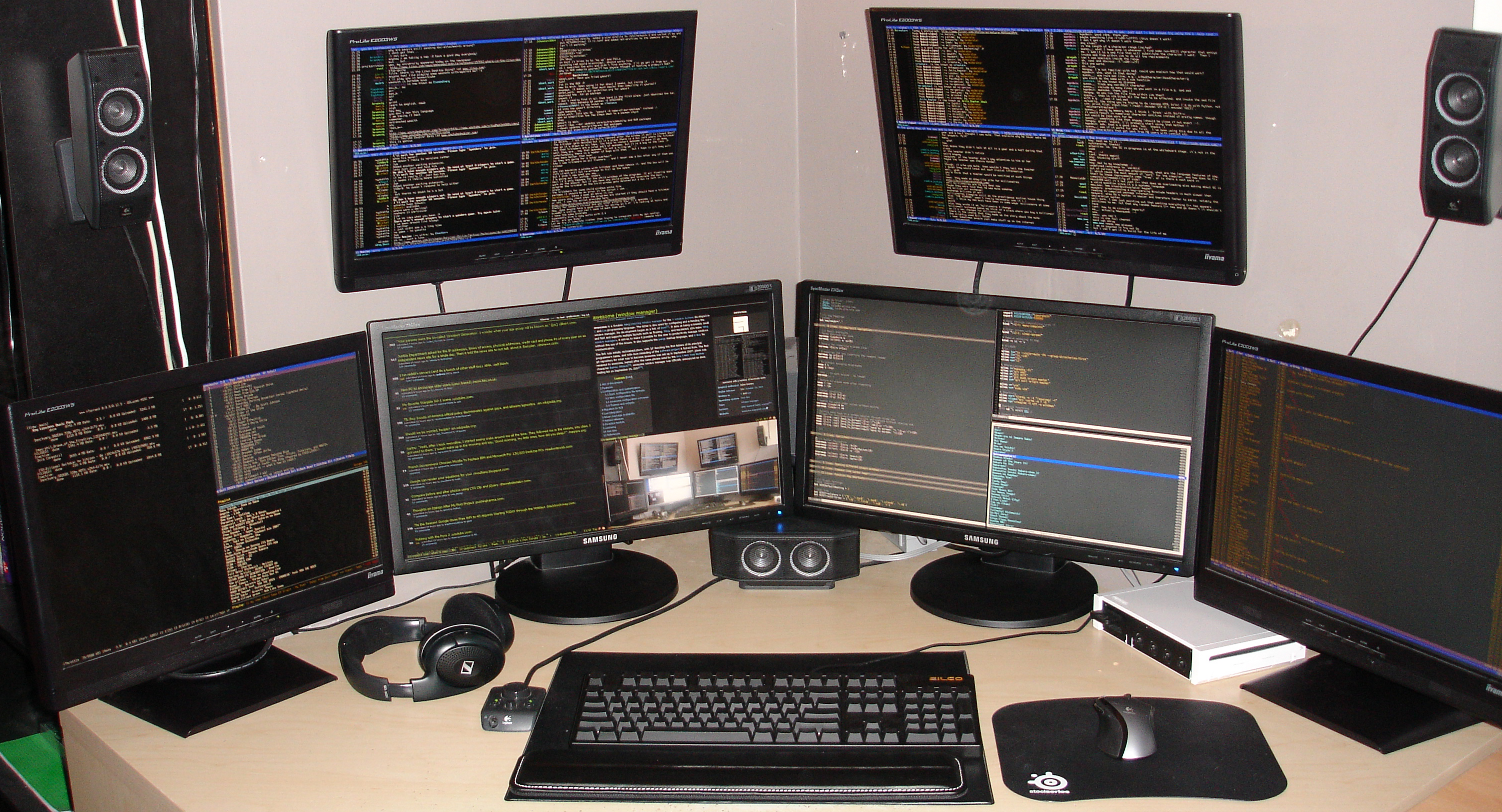
Wow, multiple display support? Are you sure Apple? Don't you want to wait a couple years more to see if this whole 'multiple screen setup' is not just some sort of a fad?
To be fair, OS X always worked well with multiple displays (I would know), but it's their intentionally and needlessly crippled full screen mode that made the combination useless. And don't worry, they still haven't "solved" this completely.
>To be fair, OS X always worked well with multiple displays (I would know),
As I work with multiple displays, I think you're sugar-coating it to say it works "well." In fact, Apple knows how horrible it is. That's part of the reason they are displaying the full-screen support as a major upgrade with their new OS release. It is currently so bad, that not only do I find myself frustrated, the PR and dev teams at Apple want to shout about their fix from the rooftops.
Even without using full screen mode the multi display support is passable at best. There is no way to turn off any of the connected displays, which is a problem when giving presentations or even when just connecting my mac to the TV so we can watch a film with friends - mac's display needs to stay on, there is no way to turn it off.
Yes they will, except that they will automatically enter sleep unless they are plugged in, which is not always the case. And I am not going to change my power settings to not sleep with the lid closed just so I can turn the display off - it's daft, there should be an option to do that in the displays menu. And even if you turn the brightness all the way down the display is still active, it's just the backlight that is off.
This is a good point, but doesn't seem to be like a very big one. (I'd like to be able to turn off my tablet display when I'm not using it.)
It seems to me that Apple's emphasis has been on using one screen well and applications like FCPX that use privileged APIs to use fullscreen well across monitors, but developers who use multiple displays in more complicated ways are pretty much stuck with third party solutions (I use SizeUp, and I used to use Cinch). This doesn't solve the issue you mention, but I'm very happy with it otherwise -- and when Apple incorporates the features of nice third-party utilities into the OS it gets lambasted from the other side.
Wow, memory lane. Yes it did, with the new 'ColorManager' that could display the same window spread across the beautiful 640x480 color monitor and a B&W monitor. Very cool in the day.
The way full screen worked was clearly intentional, not a bug, they obviously invested a lot of time into making this objectively less useful. Don't talk to me as if I'm an idiot simply because I won't speculate as to why they did this. I only know they did - and that's not some new thing I just made up, it's common knowledge. Don't be so hostile.
> Don't talk to me as if I'm an idiot simply because I won't speculate as to why they did this. I only know they did - and that's not some new thing I just made up, it's common knowledge. Don't be so hostile.
Let's assume best faith. siglesias might have just mean "that design choice makes no sense", not "you make no sense".
On to speculation - I'd guess they don't want you to use full screen, and only included it as a concession to things like movies / games.
> On to speculation - I'd guess they don't want you to use full screen, and only included it as a concession to things like movies / games.
On the contrary, the Lion fullscreen mode, which caused the issue, was a relatively large push towards fullscreen, by giving it a standardized and better (if you don't have multiple displays :) UI and integrating it into built-in applications.
Sorry, you're right, I might have misunderstood him there. As to the speculation, my guess is you're correct there also: they do want to enable people with multiple displays, they just can't imagine why you would want fullscreen like that as well so they make sure you can't. It's probably about dictating "the user experience".
I suspect this question should be split. I hadn't used Windows and Macs for years, but I suspect any modern software can handle the hardware. The tricky part is the window manager: making sure windows behave right when moved from one screen to the next.
For that, the only things that works for _me_ is XMonad, simply because it does not bind a workspace (virtual desktop) to a physical monitor for life.
I have a set of N workspaces, any of which I can display on any physical monitor connected, as long as only a given monitor shows a given desktop.
I'm yet to find a way to replicate it with any other window manager.
The sad thing is that after using xmonad for the last few months I'm confident having xmonad style virtual workspaces independent from the monitors is ultimately the best solution.
At one point I want IDE|chat split. The other time Browser|IDE split. The other time IDE|Browser (reversed for better screen exposure). Absolutely perfect.
Plus tiling, tile navigation-resize and no window decorators.
But I'm still looking at the next OS X and hoping to move there just to have all tools in one box. Right now having some of the work in another less configured macbook laptop is wasting my time.
I'd say WinXP (and greater) and OS X both make it very easy to set up and use multiple screens effectively, with OS X being overall drastically better for my purposes in almost every other aspect and - due to the full screen thing - slightly lagging behind in multi screening.
Disclaimer, it's been a few years since I last tried, but: Linux and other unixy OSes were the absolute worst, due to failures at every level from the drivers to the window managers, plus of course the endemic configuration pains. Some distros and drivers have halfway-decent support for two displays driven by the same card, but that's it. Clearly, in that entire ecosystem nobody saw why you would ever have more than 1-2 displays.
Out of curiosity, does Windows handle multi-multiple monitor setups as elegantly as OS X?
Ever since I've been using OS X (over a decade now) it always remembers the exact arrangement of my monitors when I go home / come to work (I take my laptop from home to work, and have different multi-monitor setups at each location).
Also, does Windows handle differing DPIs across multiple displays like Mac OS X handles a retina display connected to one-or-more non-retina displays?
>Also, does Windows handle differing DPIs across multiple displays like Mac OS X handles a retina display connected to one-or-more non-retina displays?
Funny that, I bought a copy a copy of Windows 8 because I'd read that multi-monitor support was better. But it still didn't work for me. Mainly because I don't necessarily want both my displays on at the same time. And I want to switch my primary monitor as and when I feel like it. I don't want windows appearing on off monitors. And if they do I want to be able to grab and group them.
Then there's window management. Which I think is pretty woeful on both Windows and OSX. I want to be able to send a window to another display easily. Switch focus etc Without having to fumble about with the mouse like an idiot. Not wonder why I can't do anything because some modal window is hidden somewhere on another monitor.
I've given up on multi-monitors, they are just not worth it for me until these issues are addressed. Multi-desktops will have to suffice instead.
In short: I want plug and play monitor support and good window management baked into OSs.
On Windows 7: winkey+left/right arrow will dock actively focused window from one side of the screen to the center to the other side of the screen and then to the next monitor and so on and so forth. I hate Windows 8 so can't comment there. The inanity of the "let's kill multitasking by showing only one (metro) app window on the screen at once kinda cancels out any other windows management improvements that PoS might ship with.
But back to the subject at hand: winkey+arrow is awesome. Works so you can retrieve a window from a display that isn't on (though how hard can it be for ms to detect that and not launch your app on a powered down screen??) without needing to see what you're doing (in the past, I've had to blindly click and drag hoping I got the title bar. Or right-click on the app in the task and choose move.
The newest OS X builds have much saner multidisppay support than that.
The keyboard shortcuts are the same (with some new ones) in Win8. Moving windows between screens is just as easy.
I don't understand the Windows 8 hate; it seems so very irrational from someone tech-literate. It's Windows 7 with a more power-efficient and fast-booting kernel, improved Explorer and disk IO system, better task manager and a bunch of other really useful improvements. It's incredibly stable and resource-efficient, and will likely make any system you install it on last longer with the same battery -- far from a "PoS".
It also comes with an app store. You can ignore the store if you'd like, it's just another program you never have to run. How does the presence of this kill the whole OS for you? Did you once feel the same about the inclusion of Spider Solitaire in Windows ME?
You can alt-tab between metro apps and native programs, you can run them in the background, and drag them between displays too. You can leave the Netflix app up on one screen and your 20 non-Metro windows on the other at the same time. Or you could snap it to 1/3rd or 1/2 of the screen, and use the rest for your other windows. Multitasking isn't defeated in any way.
I actually love the technical improvements in Windows 8, enough that I'm considering buying a license for Server 2008 to run as my desktop.
Server 2008 has the features you speak of "and has metro too." Whereas Windows 8 shoves Metro down your throat. I have tried to use it, I keep changing the settings one at a time so that when I launch a file or try to load a program I'm not jerked away from my traditional workspace screen.
I'm not one of the guys that's lamenting the death of the start menu — I use OS X on a daily basis and get along just fine with cmd+space and searching for my apps by name. I don't like how ADHD the Metro UI is, I don't like how Microsoft seems to have not even remotely considered the cognitive cost of screen-switching. It's completely unnatural to jerk me back and forth between two completely different window managers. It's stupid of them to launch Metro apps by default when there's two apps of the same name, one Metro and one not.
Microsoft castrated shadow copy, pressing 'delete' instantly removes files without asking to confirm deletion (yes, Mac does this to, but on Mac it's a keypress combo of cmd+backspace which is unlikely to happen by accident), and worst of all, now that all UX access is search-based, the fact that Windows' search feature is completely, horribly useless really shines. I can never find documents by name or content with search on Windows, funny how that works just fine on Mac. With Windows 7, I had it set up so I could work around the inept search ranking algorithm, with Windows 8 I cannot.
In Windows 8 there are two different keyboard shortcuts to move windows between displays depending on whether you are in desktop or metro mode. That's a bit of a downer. It still doesn't address the use case where I have a monitor turned off. Blindly trying to grab windows in the dark isn't clever.
I have a desktop PC connected to my TV in one room, with a HDMI cable, and a monitor in the other. I'd like to just play games and use media centre on either monitor. But I can't do this easily. The current fudge of a solution is to yank the cables out of the back of the PC or swap them over. Which is a pain, as I want the machine hidden away. I'd like to easily control where the audio ends up aswell, but that's another topic. Actually ideally, I'd like my partner to be able to use media-centre, while I'm using the other monitor in the room next door. I don't think that's a wild idea.
A lot of good ideas have been kicking about in various window managers and add ons for a decade. So why not steal and implement these ideas with a little polish?
I have similar issues under Linux, but if I could be bothered I could probably at least script it.
If somethnig like a Ubuntu Edge, gets traction, than it will be really important to get this kind of thing working correctly.
I like the way OSX detects monitors, and I like the way you can easily arrange the displays, but there's still an assumption that you'll be keeping them all on.
It's painful to watch people use multi-monitor setups, which is a shame because using them could be far more intuitive and productive. I'm intrigued to read more about the changes in Mavericks.
You're not meant to understand it. Its the party line. Many of the people that loathe Windows 8 likely have had Windows XP shoved down their throats for the last decade at work. So anything with a Microsoft logo on it makes them sick.
Words cannot describe how much I hate their new-since-Lion full-screen thing. Other than that, I agree, OSX does multi-desktop better than most, and far simpler setup.
Could you just once expand on why you think it's still broken for those of us who have not tried Mavericks and hope this will finally fix the clusterfucked combination of fullscreen and multiple displays of Lion and Mountain Lion?