It's more a case of parallel and somewhat divergent evolution.
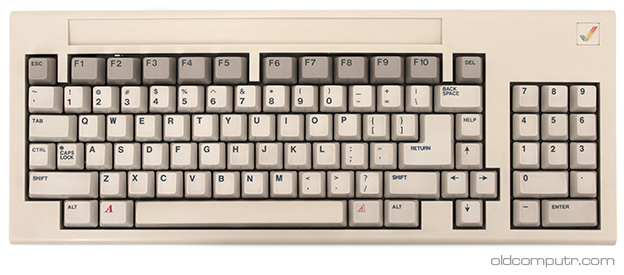
Current PC keyboards, minus the Windows key, are nearly identical to The IBM model F that came with the IBM 3270 in 1983 [1] (the arrow keys are quite different). (Note: IBM is responsible for this, not Microsoft)
The Apple IIe also came out in 1983 [2] but had a very different layout from what Apple uses today. The "open apple" and "closed apple" (two different modifiers) were all that was on the bottom row, similar to left and right command. Control was located above, and option was missing.
Macintosh's keyboards kept evolving well after PC keyboards reached their final form, aside from the addition of the windows key in 1994 (that was microsoft, not surprisingly).
Every platform has had it's own ideas about what keyboards should look like. In terms of current user-base, the clear winner is the IBM PC keyboard. It was more justifiable for manufacturers to go their own way in the wild and wooley early 80's while everyone was inventing their own way of doing things. Today, when the same software runs on multiple platforms, it's an annoying problem.



It was Microsoft who chose to be different here.