I looked into coding PDFs once. Then I closed my MacBook (Pro) and went for a long walk into the ocean. I think I almost got to America, but then I turned and swam back again. Turnd out I had just fallen asleep and had a nightmare. I was actually just working with regular text files, and everything was fine.
My favourite PDF fact is that it doesn't have to start at the beginning or end at the end of a file. Any sea of bytes that contains a PDF file is an acceptable PDF file...
Did anyone try to pluck out PDFs from /dev/urandom? How about from radiotelescope feed? Maybe the first evidence of extraterrestrial life will be some poor alien's tax form?
I mean, the answer is trivially zero, there exists a PDF-like structure somewhere in Pi, and the offset of that doesn't have to be zero, it can start or end anywhere. So the range [0, N] is a valid PDF.
your example fails to satisfy the invariant. 11 is less than infinity.
you're just pasting random python snippits at me now. It's time to move on.
again, just to summarize: PDF files do not have to be zero aligned, and they do not have to be end aligned. Therefore the answer to the question "what is the first segment of Pi that is a valid PDF file" is trivially (0,infinity). That is a correct statement. The non-greedy (in the regex sense) answer to that question will be different, however.
Why is this so hard? If the tuple (0,10) represents the range of a valid pdf, then the next tuple (0,11) is also a valid pdf. Or any after it up to and including (0,infinity).
Note the word "next", implying that (0,10) sorts before (0,11); you even say it yourself "11 is less than infinity". Where I'm from "first" and "less" are related (the first element in a unique sorted list is defined to be less than all other elements). So if there is any valid pdf in pi that can be identified by the range tuple (0,N), then the first valid pdf must occur before N -> infinity. Therefore (0,infinity) can never be the first valid pdf, even though it may be a valid pdf.
Maybe a picture would help:
    Potential pdf file ranges in pi: [(0,0),(0,1),(0,2),(0,3),(0,4),...,(0,N-1),(0,N),(0,N+1),(0,N+2),...,(0,infinity)]
    Is it a valid pdf?                 no    no    no    no    no  (no)  no      yes   yes     yes   (yes) yes
    Which one is first?                                                          ^^^
I thought linking to a python script that shows the order comparison of a tuple (0,N) as less than the tuple (0,N+1) would clearly demonstrate this, but it appears to have failed to communicate that to you. We don't need non-greedy regex rules to do a less than comparison.
Actually I'd argue the example you provided is normal, as long as you authorise a particular encoding where every number n you're looking for is encoded as a string of n zeros.
It's then trivial to see that every number you can think of is encoded in there, and therefore any data, piece of music or movie that ever existed.
(I'm not sure we're allowed to fiddle with the encoding, but since we allow ourselves to represent a piece of music into a number, we're already talking about encoding anyway, so it doesn't seem like cheating to me...)
Normality of a number is with respect to number bases, so your trick with encoding is invalid. Otherwise, every computable number could be considered normal - take an algorithm for generating of it, supply a random string (this is the encoding), disregard the random string, and you have a perfectly valid normal representation of your number. So it is cheating.
Normal in this sense means that all the frequency of all digits approaches a uniform distribution as the length of the sample increases towards infinity. Basically if we could see "all of" π and count all the 0s, 1s 2s, 3s, &c to 9 all the counts would be equal.
That on its own can't be right, because 0.12345678901234.....
According to wikipédia, you gave a definition for "simply normal", and for normal numbers the distribution of any sequence of digits is uniform. So 00, 01, ..., 99 each occur uniformally too.
No, all strings theoretically exist in 𝛑 given enough digits, so longer strings don't reduce probability of existence, they just mean that it will take more digits to find them.
I'm not sure that's necessarily true. It is true (at least with a non-constructive proof) that if you pick a 'random' real number then it contains all possible PDFs with probability one ( or that the set of numbers for which this is not true has lebesgue measure zero). But I'm not sure it's known that pi has this property.
My favorite pdf fact is that the security flags for things like copy protection and passwords are on the viewer to implement so you can just turn them off and all the security is gone
Debian actually goes out of their way to patch those checks out in their PDF-related packages as part of their stance against DRM, like this example with "pdftk":
This is not entirely true, you can encrypt PDFs [1] since v1.3 of the spec but the cypher is often so weak (RC4 until v1.6) they can be bruteforced in reasonable amounts of time.
You can encrypt them to completely prevent them from being opened. But cgb223 wasn't talking about that, cgb223 was talking about the ability to open them but not copy text, or not print.
You can make the text uncopyable by using non-standard font indexing. The reader will be able to copy the text but it will be gobbly-gook. It forces the user to OCR the PDF or reverse the font mapping.
Seems to be a reasonable analogy with trespass, where you are violating the law when you cross an invisible line. The need for marking the line varies considerably.
And even places with strong roaming rights tend place limits on well marked land.
So what if you open it in a postscript viewer instead of a PDF viewer? Because they are compatible formats except for some edge cases like security flags.
On the other hand, this allows for some incredible polyglot files, like some of the tricks with PoC||GtfO issues where the file is a readable PDF but also a game cartridge and also a zip file with the proof-of-concept code in the issue. And the front cover has the MD5 hash of the whole file printed on it... but that's another trick entirely!
I worked for PDFTron on their WebViewer product earlier this year, and primarily spent time implementing this feature in JS. Understanding the spec on this was tricky, because standard PDF viewers need to be able to uncompress the stuff you jam in there. It kind of blew my mind that you can literally jam any arbitrary file into a PDF.
I never understood that Google security blog post on how they could make 2 different PDFs with different content have the same SHA but now that you mention you can stuff bytes in a file unrelated to the PDF, it makes sense...
Some readers won't need a header at all, I think. Near the end (usually!) of the file there's an index of objects (page data etc.) with byte offsets, which can point to anywhere in the file.
What's your favorite PDF feature that causes a brain meltdown?
I've read a few comments on HN how PDF is, well, not developer-friendly. If people are interested in providing some more examples here, I'd be curious to know!
In the early 2000 I coded a PDF library for an industrial printer suite. (Print, proof, impositions)
I personally think the structural PDF format is a really great format. It's entirely ASCII-based, a pure text format, yet it can embed arbitrary binary data and compress that data. The actual structure is simple and support just enough functionality, like a tree of object, dictionaries and arrays, unicode strings, date formats, etc.
I think if you limit yourself to pure structural PDF woulde have been a great format to standardize upon, much better than JSON or XML. It';s richer than JSON, simpler and saner than XML. Again, it's top-notch ability to embed binary is great. It has other great characteristics, for example you can update anything just by appending.
The ugly bits are in the "semantic" PDF: the page descriptions, media, etc. Even then, the early version of PDF were nice, mainly just simplified Postscript.
I'm of a similar opinion but I'll say the format is quite good, but the many and varied implementations are often not.
A common case is clients who use utilities that generate single customer documents then merge them into a bigger file for bulk print and mail (bills and statements, not identical copy). Without fail that results in thousands of similar but different subset fonts whereupon most printers I've encountered eventually fail due to memory issues.
Typically this leads to a discussion about "I can open it on my computer fine" and bending over backwards to find a workaround. Merging and consolidating these fonts doesn't seem to be a simple task, although some tools claim to work some of the time.
Something that scopes object resources for disposal could be nice in the PDF spec (maybe it exists), but something like a LRU caching mechanism on the printer would potentially resolve this too.
Being able to do SQL queries to remote servers, upload form contents directly to a server, embedded 3D models and being able to have a fully featured page embedded Tetris game due to support for JS.
Having said that (and worked on a commercial PDF library), despite all the cruft that came with age, it's a well built format that survived the test of time with good reasons.
I worked on a Pdf with inbuilt tracking solution that updated the form layout using ActionScript based on the workflow status and the role of the user (ie the line manager had a different group of fields in the form to complete like their signature while viewing what the initial requestor had entered) Lots of callbacks to the server saving in progress data and updating the status of who had the form, who was next based on department and emailing it to that person if it passed validation.
An initial fun discovery was that you could force the form to download and replace itself with the latest version even if they had just opened some old file they had on their pc.
That's great because it creates client expectations regarding what my PDF application should support. Implementing the spec is not good enough, you have to do what PDFium or Adobe do.
I think one of the biggest pain points that developers hit that hasn't been mentioned here is content extraction.
A lot of the time developers want access to the text inside PDFs. Unlike HTML or formats like MS Word (XML or old binary format) getting "text" isn't really possible.
Most "document" formats have the concept of words or strings: a set of characters separated by whitespace. PDF isn't a "document" format in that sense - it's a page description language. Instead of strings of text you have character glyphs positioned at a particular location.
If you want to "read" the text, you have to work out the orientation (which can change throughout the page - think of table header alignment), and use some kind of heuristic to guess the word spacing based on the font and character spacing.
There's also this whole thing with clipping, where some text can be hidden behind other objects (or off page) so you have to try to deal with that.
There's lots of libraries that try to do this for you, but there are lots because none get it right 100% of the time...
This is also my list. Except for the forms, that's one I don't have to deal with.
My other one is the use of multiple subset fonts that are actually the same font with a different subset of glyphs that you want to merge back together.
"Identical" PDFs are not necessarily byte-identical; you can't just check equivalence through checksums. (AFAIK, it's been a while, feel free to correct) I don't remember a good way to normalize/disambiguate, at least I never attacked the problem long enough to have learned.
EDIT: oh yeah, I'm pretty sure it contains Mail, just like Zawinski said
That’s correct - I worked with MS team that documented old formats, and they said that sometimes they don’t have people left who knew what specific struct was intended for - although that was mostly for people PowerPoint and Visio, excel and word was better documented
You don't remember correctly. Word's docx format is far more intelligent than openoffice ODT, despite propaganda to the contrary. With one exception: word's zip files don't have a convenient magic header. The way it works with ODT, and a bunch of other formats is that you put an uncompressed identifier file (`mimetype`) as the first entry inside your zipfile. At byte 30 (of your zipfile) you then get `mimetype$THE_MIMEMETYPE`. This is a nice trick and works for any zip-based format. Sadly, docx does not do that so you have to go by file extension or look at (more of) the contents of the zipfile.
IIRC the original doc (and xls) formats were unwieldy mainly because of performance requirements. In order to save and load fast they were basically a bunch of binary dumped structs.
Ms office files prior to office 2007 were mostly memory dumps of specific components, wrapped into composite files aka OLE2 storage - their content varied depending on office versions and often locale
and if they hadn't waited so long to update to a sane file format no one would complain but they waited until 2007 to fix the format long after the dos era memory excuse had long ceased to be an issue. even then they only did it to allow them to shoe horn their format in as the iso standard after one was already selected bribing there way through the process.
I had to handle action buttons for a PDF once. I swam out from America a long long ways before turning back. Might have spotted you middle of the ocean.
It's really not that difficult if you read and understand the PDF specification. As a learning exercise, I created a simple PDF generator library that creates ASCII PDF documents (you can open them in Notepad) and includes comments about what each drawing instruction does.
I had a look through the XPS standard and had a similar feeling. I complained to a friend that had been involved in one of the bigger pdf libraries. He then made me compare it to his version of the pdf 2.0 (iirc) standard.
That is truly nightmare material. Especially considering a non-trivial percentage of pdfs circulating are non-conformant and people still expect them to render...
Years ago, I worked on a project that required generating PDF invoices. Used the FPDF library and I was shocked how small the files are (including a properly sized logo) when generated compared to most other PDFs 'rendered' from word or print processors.
I just had to do tech support for someone whose 3 MB PowerPoint of text and some shapes became a 70 MB PDF that they couldn’t send through email anymore :/
The last time i wanted to do that, i noped the fuck out, generated latex, and pdflatex-ed the thing, to get the pdf (we're talking generic reports, text, table, graph, email to customer on a schedule).
I am actually interested in doing pure JS pdf processing. All of the web interfaces for PDF processing are server side — which means it’s tough to process large files. The dream is a purely JavaScript solution that never leaves the local computer. I’ve got a few client-side success stories that do fairly significant image generation through the canvas. So far PDF seems reasonably manageable through manipulating the text, but it’s not the best format.
> The dream is a purely JavaScript solution that never leaves the local computer.
Mozilla's pdfjs[1] project is a pure HTML/JavaScript solution for PDF rendering. This is the same code that ships in Firefox browser as well. This is standalone, AFAIK, it doesn't talk to a mothership.
I thought I found a nifty trick by using OpenOffice to create a form with a pre-filled value. I decoded the PDF using pdktk or one of the free tools, and then modified the value. Nope, that caused some kind of cascading/checksum error.
Ended up just making the app generate HTML before calling wkhtmltopdf.
The PDF spec is insane! But like all things what you get out of Word/OpenOffice is 100x more complex than if you wrote it yourself, which is indeed doable.
I’d be surprised if Adobe has implemented 100% of it. With a format this complex, there’s bound to be discrepancies between the spec and the code they have.
Reading PDF files is certainly a nightmare. But you can easily produce a valid and simple pdf file just by printf-ing whatever needs to be printf-ed. There's an ugly header and the rest is essentially your text.
OK, they added various ways of data compression, but PDF is, basically, a text-based format.
As far as I know, any PDF can be losslessly converted to an equivalent PDF that can be edited in any text editor, even Notepad. And yes, you could fill in the forms there, too (if you were stubborn enough)
It sounds like you either know a lot more than me or a lot less than me. The PDFs I've dealt with don't store text as strings, they store it as individual characters. This left me having to write a heuristic based algorithm to group the characters into words, words into lines, lines into paragraphs, paragraphs into columns.
Again, as far as I know, there are no heuristics good enough to get that right for all values of PDF.
He knows a lot less than you probably because there is absolutely no requirements for PDFs to be in text format and most aren't. The "text" he is editing could render to completely different characters depending on how the PDF document was created.
The default MacOS PDF printer will actually remap the font cmap making born-digital PDFs where the "text" is something else entirely (say "$" maps to "a").
> The default MacOS PDF printer will actually remap the font cmap making born-digital PDFs where the "text" is something else entirely (say "$" maps to "a").
What? Why!? I've heard of doing that as a form of DRM, but I can't imagine Darwin defaulting to doing that.
I never dug deeper into it, so I am not aware of why it does that or if it's a specific version or whatnot, but take a PDF from which you can extract the text (with pdftotext/pdfbox for example). Open it in the document viewer and "print" it to PDF. If you extract the text again it is not readable anymore.
This wouldn't be an issue if it was a conscious choice, but when I parsed a lot of born-digital PDFs we ended up with a lot that were like that from various source. Try explaining that...
Could it be “compacting” the fonts? So if U+0000 to U+0007F aren’t used at all, remove those glyphs and set U+0000’s glyph to be what was U+0080? Yes, I know NULL doesn’t have a glyph, but I hope that gets the idea across.
Where did I say PDFs have to be in text format? I said every PDF has an equivalent text-only representation. The format, like postscript and eps started as text-only. Compression, making the files binary was added as an afterthought, to make files smaller (much smaller). If it were binary from the start, its designers would not have made the table of contents at the end waste bytes by writing offsets in ascii.
Look at Chapter 3, Syntax. The code is all text based. We are not talking about the visible characters in a PDF viewer, but the code of the PDF file itself.
Going by your original premise though, just so you know the reference does indeed have examples of text as strings e.g.
BT
/F13 12 Tf
288 720 Td
(ABC) Tj
ET
This can be extended to include spaces so you can essentially mark up entire lines of text at one time. What it can't do is cohesive paragraphs and flow/wrap, you need to use the relative positions to work out what text is in one block (and usually I'd defer to something like pdftotext for simple cases).
Laying out individual characters is common though. It's probably due to kerning concerns.
That’s news to me and Bluebeam’s PDF search feature! It turns out you can make PDFs (This usually happens with architectural drawings) that are comprised purely of images that are not searchable, and therefore you are wrong.
I silently thank every architect that provides searchable PDFs, it makes my job way easier
GP is right. The code that makes up a PDF is text-based. Those images can be encoded in the PDF file using the ASCIIHexDecode filter, i.e. as editable ASCII text code.
GP uses the phrases "losslessly convert to text" and "fill in the forms". I think you've misunderstood them, they're clearly talking about the display text, and not the code that comprises it.
Only the "binary" bits like fonts and bitmap images would need to be hex (and then only so Notepad doesn't mangle them). Everything else in an uncompressed PDF is already text. Go here and download the PDF spec.: https://www.adobe.com/devnet/pdf/pdf_reference.html
Look at Chapter 3, Syntax (and the rest of it, really).
I literally have scripts that use bash and sed, or Python, to modify PDFs by editing the text code. Doing it in Notepad is possible but tricky, as there's a table of object byte offsets near the end that it's easy to mess up by inserting a character.
This is a somewhat big update for PDF.js which is kind of cool in that they haven't really been updating it as aggressively as they usually do in the last year or so.
It's a bit frustrating to work with though. The entire concept of rendering a PDF via JS is fascinating but actually using the API has been a huge pain for us.
We've had to fork it internally and work on typescript bindings and other features to get it to work.
They seem to have a silly policy of only allow developers to use a subset of the API not the whole API itself so that it doesn't look like PDF.js (which I don't understand).
A lot of the functionality just isn't available otherwise.
PDF.js dev here. I'm a bit confused on which part of internal API you would like to use? The way I think of it, there are really three API's in pdf.js:
1) Main thread API (api.js) which we base the version off
2) The code that runs in the worker
3) The viewer components (web/*)
Quite awhile ago when we decided what parts of the API to version, we thought more people would want to use #1. Now that the project is mature we could probably expose some more base the version off of that.
As for the "so that it doesn't look like PDF.js", we don't limit the API because of this. That suggestion (which I don't totally agree with) came from what we saw people doing, where they'd copy the entire viewer, when it'd probably be better to just let the user's browser choose how to show the PDF.
I'm so sorry about being forward but why the hell don't the vim keys (hjkl) smooth scroll? Its so frustrating. Is there an option to set it as so? Using the arrow keys is so cumbersome.
PDF.js already supports h/j (and p/n) keys to page up and down. (I added them years ago. :) I think GP is asking for the keys to scroll the page by smaller steps instead of page up and down.
I've been working on an internal tool for my company using the same library. It's saved me a ton of work, but my experience has been similar to yours. I've even had to lock in to a much older version for want of putting a lot more work on my plate since the API seems to have changed a fair bit. (well, between it and JSDOM which I am using to some rendering on the server). And like you I've had to write a bunch of the bindings/definitions myself or just reduce them to nil (declare module "yadda/yadday/thing" as any)—which is thankfully permissible since it just needs to be built once and run "forever" with near-zero need for feature additions, etc.
All to extract images in a routine fashion.
Just the same, I'm still immensely thankful they've published the library as OSS.
Unfortunately, it and Poppler, and Imagemagick, etc were all off the table. I was confined to running everything within a Node instance. Couldn't make calls out to command line tools. I tried probably 20 ways of using Poppler-based libraries to no avail.
It definitely would have been the better performing route, and simpler to implement. As it is, since the app is low traffic for actual processing of the images it doesn't matter too much, thankfully.
Looks cool! On a sidenote, I've always been curious with product sites: what's your metric for including other orgs under "Used and Trusted by Top Organizations"? How do you know they use / trust it?
Do you have, by any chance, any good resources on PDF.js? The README on the github is ok, but it doesn't really cover what workers are supposed to do and provide any useful mental model for the architecture of the whole thing.
Sheesh, what's with the hate for a generally all-round useful feature in an Open source browser? The last thing I want is to have to install 3rd-party software on my machine and have my browser be held hostage to it just to view PDF documents on the web. Being able to fill them in is a very useful feature and the in-browser PDF readers are still way less bloated than most other plugins.
Yes, like it or not PDF is a de facto standard of the web, in the same way that Flash was nearly a de facto standard before the industry-wide decade-long effort to kill it. A browser that doesn't support PDFs is as lacking in the eyes of users as a browser that doesn't support PNGs.
If Flash was rendered natively in the browser, sandboxed and across different browsers, and with high enough performance/low enough battery impact, it would have stayed.
There were efforts similar to PDF.js to run Flash content using JS but they were never able to tick all those boxes.
Yes, this is a nice feature added to a basically-reasonable implementation of a PDF viewer. I think the objection is that that PDF viewer should be an actual independent application, not baked into a browser that already is too many things to too many people. It's like Chrome including a basic antivirus function (https://support.google.com/chrome/answer/2765944?co=GENIE.Pl...) - yes it's useful, yes I trust it more than a lot of AV products, but no I don't think it's reasonable to bundle it into the program that's supposed to be here to render web pages for me. (Similar arguments, to varying degrees, are made against WebRTC and Pocket)
I really don't see why it should be an independent application. I mean it's not like we expect a PNG viewer or HTML5 video viewer to be a separate application in a browser. Being able to view (and in this case fill/interact with) PDFs is pretty much a basic necessity on the web. Beyond the core HN crowd, almost nobody cares to have a 3rd party application that they have to install to view PDFs in their browser. Having a lightweight and secure PDF viewer that is also not made by some 3rd party company that could be collecting any amount of data on you is a good thing in general.
> I mean it's not like we expect a PNG viewer or HTML5 video viewer to be a separate application in a browser.
PDFs are generally an actual document, separate from the site they're on. If images and videos weren't a part of the web pages being viewed, I would be quite skeptical of including them in the browser. I mean, there are JS viewers for STL files (https://www.viewstl.com/) - should browsers include a 2D modeling environment?
> Beyond the core HN crowd, almost nobody cares to have a 3rd party application that they have to install to view PDFs in their browser.
See, I have the exact opposite experience; I've had less-technical family complain to me they were annoyed at Firefox because it stopped just opening PDFs in Adobe and forced them into a crippled slow viewer inside itself. Unfortunately, I can't tell which of us is in a bubble.
> Having a lightweight and secure PDF viewer that is also not made by some 3rd party company that could be collecting any amount of data on you is a good thing in general.
That many PDF viewers are awful is an argument for making a better PDF viewer, but not for baking it into a browser.
> PDFs are generally an actual document, separate from the site they're on. If images and videos weren't a part of the web pages being viewed, I would be quite skeptical of including them in the browser.
See, I don't really agree with that because to me, PDFs are a pretty core part of content on the internet that users browse to via their browser. Pretty much every restaurant makes their menu available on their website as a PDF document. Almost all users will interact with PDF documents while browsing the web at some point or the other. Otoh, a tiny fraction will even know what an STL file is, let alone care about opening/viewing one. So that comparison really isn't a fair one.
> That many PDF viewers are awful is an argument for making a better PDF viewer, but not for baking it into a browser.
That's a bit of an odd statement. If anything, it proves exactly why this is a good move from Mozilla. The PDF standard has been around forever, and yet there is a dearth of free, high-quality PDF viewers that aren't bloated or filled with ads or spyware or trying to get you to upgrade to a paid version of their software. So Mozilla has finally taken matters into their own hands and provided a pretty good, light-weight and integrated solution that will do the job for most users. Power users who care can still enable other software via the plugin system as their default PDF viewer. I'm not sure how you can blame Mozilla for addressing a very real deficiency in the state of available software for PDF viewing.
A note for Linux and macOS users, from someone who switched to windows one year ago: it’s maybe surprising but it is a VERY REAL pain in the Windows world to find a pdf reader that also allows you to edit forms, that doesn’t also come with malware or adware, and has even just a modest UX!
So for sure you already have access to Evince and Preview.app, they already do everything you want, but Windows users don’t really have that luxury! Being able to say to users to just install Firefox if they want to edit PDF is really good IMHO, way better than the current situation.
Yeah, I never understood the PDF hate at all when I only used Macs. They were snappy, had smooth scaling, editing them wasn't too hard, and scrolling was smooth. It was a fine way to read documents or even books on a computer.
Then I had to use Windows. Good god, PDFs are horrible here. No matter what I use, every application is horrible in its own unique ways. Nothing can compare to the default software provided for free with Macs. I'd prefer to manage PDFs on my phone than my work computer.
If Mozilla can help people edit PDFs to any extent, they're doing the world a service.
Just to provide anecdata against the current comments. I totally agree with you. It's not particularly hard if you are pretty tech savvy, but the for the average user you pretty much are stuck with adobe. Or you can try your luck with the edge/chrome pdf form fill but there's a decent chance it just won't bother saving your input. On adbobe, it is still full of extra crap that is irrelevant to everyday use. I think it still bugs people to update it all the time, but I don't use adobe, so I don't know.
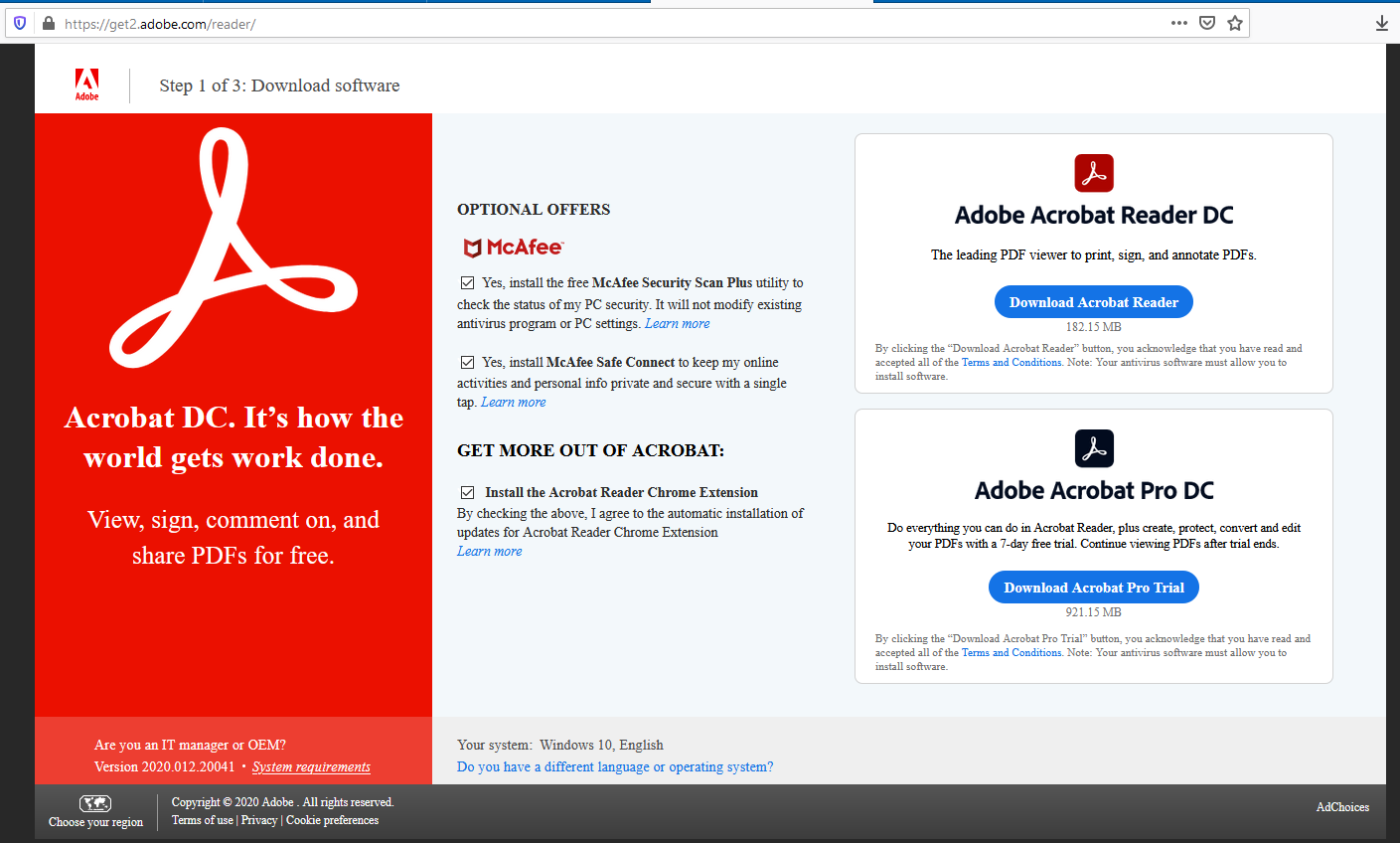
If you aren't careful during the download/install process they will attempt to bundle various McAfee "security" products and an Adobe chrome extension into the install. Additionally they have made it less obvious where to download Reader instead of buying Acrobat.
Okular can "edit" forms. I have been doing this on Linux and Windows for a while. Not the most usable but it works. What I can't do in Okular, I do in Gimp.
I will use Firefox for editable form pdfs but for those that don't have editable forms, I will continue to use Okular/Gimp.
I actually stumbled across the ability to edit forms in Firefox only recently. I was like... What? This is amazing! For some reason the pdf i clicked on opened in Firefox and yeah, surprised.
I have a feeling this thread has a strong bias from highly automated valley life. In more provincial regions and even just much of Europe lots of forms have to be filled out and printed.
It is not something you have to everyday or something, but the existing solutions suck massively. You either have to use Adobe, which requires Windows (or Mac, I suppose) and your firstborn or use some massively shady online service. So personally, I love this feature!
(And I also do not think that this will halt all other development at Mozilla like some comments here imply)
> In more provincial regions and even just much of Europe lots of forms have to be filled out and printed.
This is changing quickly with the covid pandemic. One of its silver linings is that I can't remember the last time I had to wait in line for one hour only to be told off by some exhausted bureaucrat about my missing grand-parents' birth certificate or whatever the hell they come up with. Take that, bureaucracy!
PDF support in Firefox is one of the most important additions in recent years. My gripe with Mozilla was they're pursing all these side projects when they really should be targeting feature parity with Chrome. That's the only way people will ever switch.
> My gripe with Mozilla was they're pursing all these side projects when they really should be targeting feature parity with Chrome. That's the only way people will ever switch.
A bit off topic from the post at hand, but my gripe was the opposite. The relentless pursuit of parity made them indistinguishable giving users no reason to switch (and taking dev time away from distinguishing features). Granted the pursuit of users instead of principles is its own folly that's hard to overcome when money is needed.
I'm curious what you notice is missing in terms of feature parity. I'm mostly a back-end developer (not diving into devtools very often) and switched a year ago. I'm much happier and haven't looked back.
Please file bugs for these. Also, to the author of this comment: please file bugs for these. (I work for Mozilla and yet I'm pretty lazy about bothering to file these.)
This kind of problem also happens when developers only test on Chrome. Or if they are using Chrome-specific features and don’t properly handle failover.
Pocket is an acquired company, the integration with FF has been minimal (it does less than the Chrome extension ;)) and I'm pretty sure it pays for itself.
Search in PDF is broken since this update. I must go through the whole document for Firefox to load it up and being able to search in it. Couldn't find a similar issue on Bugzilla. Anyone having the same problem?
I've built fillable PDFs for a manufacturing business. Links are provided within to the company website to the PDF files, which typically now open in the browser, with varying degrees of reliability. Unfortunately, many people assume this is just another page of the website and that they should be able to interact with like any other web form. Always fun trying to explain this.
Can we just step away from PDFs to a better standard? Every time I deal with PDFs or I have to on behalf of my parents it is a true waste of time and resources - there has to be a better way.
Sure you can: find an ideologically motivated tech billionaire, buy Adobe, release a new version of PDF and make the spec an inaccessible trade secret, aggressively legislate against anyone who attempts to implement it, start charging for Reader, increase the price by a compounding 2% every year, and put that money towards a foundation with a purpose of openly designing and implementing a better, freely-licensed replacement. I predict this would only take 20 to 30 years. :)
Sounds like you've been thinking about this. You don't happen to be an ideologically motivated billionaire who happens to think the best thing for humanity and return on capital is to rebuild the pdf spec do you? * fingers crossed
Well, yes, we can, but the outcome will be far worse. The naive imagine "something better." The real world will interpret "better" as 27 half baked alternatives, 2 of which will work on something other than Chrome running on Windows.
Agree with this - minus the naive part. I think you can dream and you can have "something better" but you risk all the good work that has been put in already which might put you in a worse spot. If you ran a hypothetical model on what the future outcomes might be the likelihood of something better is probably pretty small. That said, we can always dream.
One of the reasons PDFs are still so common is they do their job pretty well, i.e. accurately displaying documents.
Any alternative would need some very compelling reason to use it instead. Take Microsoft’s XPS which I think is it’s closest rival. It is an open standard based on XML. It’s built into Windows, Office, and many printers support it natively along with major software vendors, but I can’t think of a single time I’ve come across an XPS file online.
At the very least, you need a replacement that's technically better, works well cross-platform, has a layman-acceptable UI, and supports 99.999%+ of all the use cases PDFs currently supports. It also has to convert old PDFs into the new format.
Then, you have to worry about market share and acceptance.
Okular can handle basically everything for me, except for those Adobe-proprietary ones that require JS and all kinds of other dumb features that only Acrobat supports.
I recently made the switch to gnome as the multi-monitor support, fractional scaling and general Wayland support is only excelled by sway. I sorely miss Okular!
Can't you still run KDE apps under Gnome, even with Wayland? I use a few. Some of them look better with the "QT_QPA_PLATFORM=wayland" environment variable.
I just use Libreoffice Draw to add text into stubborn pdfs on windows and any on Linux. It's a good, free OSS way to get the job done, though not pretty.
I actually like the pdf.js viewer enough that I use the chrome extension version on chromium. But I see it hasn't been updated in over a year now. Hopefully it will get updated!
I just found out that this feature was coming last night, and I hadn't realized that today was release day! I did discover that if you want to enable it on Firefox 80, you can toggle `pdfjs.renderInteractiveForms` in about:config
Any chance Firefox will have built-in support for printing to PDF? There's a browser extension[1], but it was last updated 3 years ago. Seems the Chrome browser has had this feature for ages.
It's not ready for release yet, but if you flip the preference `print.tab_modal.enabled` to true you'll get the replacement printing interface which has a "Save as PDF" pseudo-printer.
On Windows at least, using the built-in PDF printer with Firefox results in text in the PDF file being converted to paths (not text). Huge file and you can't copy/paste. I've tried 3rd party PDF printers (PDFForge) and the result is the same, so I think it might a FF bug (or feature)?
Chrome's save-as PDF produces actual text. It's the main reason I still have chrome installed.
That seems.... odd. I am on Firefox on Windows and I print to PDF all the time using the Windows built-in PDF printer ("Microsoft Print to PDF"), without issue. In fact sometimes that printer is the only one that can get things to format correctly!
Something on your system might be interfering with the printing process.
There must be something strange your particular set up, or maybe the behavior changes based on the page. Firefox 81, Windows 10 version 2004, multiple computers, printing this page with the "Microsoft Print to PDF" printer this page of comments all result in a PDF of ~470KB with selectable text.
Can it handle Cyrillic and Japanese text fields? For example, poppler can't solve this problem for 12 years[1] already. You can use the attached files to the issue for testing.
Will it support only the standardised kind of forms, or also the proprietary Adobe-only kind of forms? (Yes, there's two, and the latter are what Swedish administrative agencies use, so I'm forced to choose the “non-fillable PDF” option lest I get a file intentionally made unreadable to non-Adobe software.)
I think one of the first things I do after a clean Firefox installation is to set PDFs to be opened with the Windows default reader. Reading (and mostly searching text in) a PDF in the browser is terrible.
Does anyone find the embedded viewer not usable for copy/paste situations where keeping the format is important. I always need to save and open with adobe reader.
Can we just get support for math text? For years I accidentally print research papers from the browser only to have to open it back up in a non-browser PDF reader and reprint.
With that and form fill I basically don't need another PDF reader, which is nice.
What's the problem with the Poppler-based ones? I've been producing (with LaTeX) and consuming (with Poppler/Okular) PDFs for a decade and never once have I had to worry about anything related to the format (including tracking).
Poppler looks great! But, I _just_ learned about it and I don't think that the majority of population, say, outside of HN knows about its existence, so it's good to have a fairly mainstream alternative available.
OK, Firefox is, sadly, far from being a mainstream browser nowadays, but still I suspect it has a larger user base than Poppler.
And here I was thinking we were living in the future when I could print out a pdf, fill out the fields with a pencil, take a picture of it, then email it to myself, change the file type back to pdf, and send it to whomever requested it...
I think it was William Gibson who once stated something like, "The future is already here, it is simply unequally distributed...in that, some people just fill out PDF forms, while others have to print it out, fill it out with a pencil...etc...." Ok, maybe i'm remembering that quote inaccurately. ;-)
> After entering data into these fields you can download the file to have the filled out version saved to your computer.
And then what? Fax it? Sounds like a missed opportunity to me. It would be nice if you can add a Submit button to have the data posted to the server, just like any other web-based form.
I haven't printed a PDF to sign in years. Why don't you just affix a digital image of your signature to the file? Save it and email it back to whomever.
That built in PDF viewer is another feature that could have been an addon. It's bloat which increases the browser's attack surface. It's completely unneeded given that just about every OS ships with some kind of PDF reader out of the box.
It's a js application and thus less exploitable than your average C application with tons of unsound code, but IIRC it belongs to the class of "privileged js" layer that Firefox has, so has special rights that usual website js doesn't have.
The built-in PDF reader on Windows is literally to open the PDF in Edge.. so not very good UX for Firefox and also a good argument that browsers are expected to have PDF readers.
Thank Google - Chrome was the first browser to ship with a pdf reader, and people loved it. Now it's just expected that any browser should have a workable PDF reader built-in.
I would like to see Mozilla modularize Firefox more. Browsers are such huge beasts that contain everything imaginable plus the kitchen sink these days. It would be nice for these kinds of features to be add-ons that can be disabled or deleted if their functionality is not needed or desired, freeing resources for other use.
They can be part of the initial install so that Mozilla can provide the browser as they envision it, but be able to be removed for those who have other ideas of what their browser should consist of.
I don't know how technically feasible that is with their code, but it makes sense to me from a developer standpoint.
> Is there something hard about fillable forms on PDF?
In the sense of a “form” just being lines on paper that you can arbitrarily add some text to — no, that’s easy.
Likewise, in the sense of a “form” being some defined input regions that accept your keystrokes and turn them into new text DOM nodes in the PDF itself — easy enough. Though, unlike HTML, there’s no concept of an <input> tag that just has the semantics of accepting keystrokes and turning them into (persisted) input; instead, this all has to be done through scripting [i.e. writing event-handlers, or having some PDF authoring software generate them]; and there are several incompatible scripting languages for PDF that get used, some of which are proprietary with no open specification.
But, doing form validation? Or, worse yet, making one of those fancy PDF forms that auto-calculates fields like an Excel spreadsheet? Now you’re getting into the hairy stuff, because IIRC none of the open-standard PDF scripting systems provide these sorts of mechanisms, so these are inherently proprietary things.
And when I say “proprietary”, I mean “like old versions of Word or Photoshop, where each version emitted its own in-memory data-structures to disk without formal serialization; and it was the job of authors of future versions to write importers to deserialize whatever format resulted.”
The real problem here is that, 20+ years on, printing to PDF is still a totally natural and easy-to-understand metaphor for a normal office desktop user; but producing HTML for the browser is still impossible for them.
If we simply had print-to-HTML functionality which resulted in a document identical to what you view onscreen while editing, PDF could die the death it deserves.
But HTML+CSS somehow manages to suck just as much for common usage, so it persists.
I wish epub would catch on for more than books. An epub is just HTML and CSS in a zip file, and a large part of the world population has a device than can load it and present it cleanly.
I posted a link (above) to the app I built to solve that problem.
The vast majority of form is indeed not « ready » for input, requiring users to go through hoops to fill them. And that work is done again by the next person.
I wasn't referring to any problem. Again, all those PDFs I wrote about are intended for reading only; no filling in, signing or other form of interaction other than reading letters that form words on a page is involved in any way, and that is entirely fine and how it should be, so both the PDF itself and a PDF reader that has no form-filling functionality would be entirely fit for purpose (notice the word "reader").
Yes! PDF forms are amazingly complex. Text in PDF is very complex and the forms themselves are a kind of templated vector graphics. Multiply this by all the weird and corrupt PDF forms out there which Acrobat support and you have a challenging task.
“After entering data into these fields you can download the file to have the filled out version saved to your computer.”
What’s the use case? Printing out filled-in forms? But otherwise, who would want the PDF in electronic format? It doesn’t seem like a practical way for users to submit data.
That's my point. Other than printing a nice looking form (which includes faxing), the content of the field data is hard to reuse. Searching PDF content on your own hard drive is problematic.
Are there utilities that extract PDF field data and submit it to a database? I'd be grateful to see examples.
What about field validation? The PDF may have some minor validation, but that's no substitute for the validation done in a DBMS.
If you want users to be able to save a nice looking form, you'd still want the data entered online directly into a DBMS. I'd offer a "download PDF of your input" as an option, for example.
Sure, its a structured format, so you totally can extract the individual fields. AFAIK Adobe sells a server product that does that, but I'm sure there's competitors and I have seen the underlying parsing in feature in PDF libraries before.
That said, plenty of users of PDFs have a very paper-based/manual workflow still, and not the motivation and expertise to run and update an online form thing. Or they need to have the ability to handle odd inputs anyways, because paper forms have even worse input validation.
And from a browser/user perspective, the feature here is useful because people expect me to handle PDFs and do not provide nice web forms. They might have terrible reasons for doing so, but I still need to live with that.
A lot of people don't care, because they come from forms in cartaceous - where they have to manually retype everything anyway. For many, their "DBMS" will be an Excel sheet with a dozen rows. The more advanced types likely have some Adobe software that does all the magic.
Fillable PDF forms are really seen as a courtesy to users more than anything particularly useful to the emitter.
Well, if the form needs to be faxed (still a thing!) then having the filled PDF makes it easy to use an e-fax service. But I assume sending the file to another computer for printing is the main use case.
Last year applying for jobs most places had a pdf form, if you were lucky it was an actual form too! So, filling the form and emailing it back is useful -- much better than trying to overwrite text with a PDF background; far better than printing the form, filling with a pen, scanning, then sending.
And here I found it much less bloated than the other free desktop PDF viewers.
I think Mozilla's line of thought here is that PDF documents are widespread in the web, to the point where they are a de facto web document type. So it makes sense for a web browser to support them rather than calling out to a user's desktop program (though I assume you can configure it to do so instead).
There's probably a bit of "our competitors do it, so we have to too" in there as well.
I like that single-page PDFs stay in the browser. I don’t want to keep them; I just want to see them. Like any other web-page. I want to be able to hit back, or close the tab, and continue on with my day.
And I also like that I can preview long-form PDFs in the browser, before choosing whether to save them and read them “for real.”
Imagine if every time you opened a direct-linked JPEG image in your browser, it treated it as an attachment, downloading it and opening it in your external image-previewer app, rather than rendering it as a synthesized HTML DOM wrapper around the image. Wouldn’t you be annoyed by how cluttered your Downloads directory would get with random files you never actually wanted to save?
Given that Chrome/Edge also just added the feature, I would point out: All web browsers are using the same library for PDF handling, a feature in pdf.js ends up benefiting a lot of people.
And the reasons for not requiring an outside PDF reader are major: It's yet another likely-to-have-vulnerabilities program people need to install, then update. In most cases, avoiding Adobe programs on your PC is a good way to avoid a lot of vulnerabilities.
A Chromium fork could replace certain components if they so choose. The PDF rendering component would be one of the easier ones to replace.
However, I was able to confirm that Edge uses extension ID mhjfbmdgcfjbbpaeojofohoefgiehjai to render PDF internally[1], same as Chrome, so indeed it's using PDFium.
Given the amount of PDF exploits over the years and the habit of browsers to automatically invoke your PDF viewer of choice either as a plug-in or call out, they're an easy target.
Having a sandboxed PDF viewer that works 95% of the time is great. For those 5% circumstances where I am actively trying to view a PDF and it won't work in browser, I'll gladly go through the minimal effort to open it in an external viewer.
Native PDF clients have had lots of security holes. In this case having the client written in JS means we can repurpose the battle hardened JS sandbox to also contain PDF exploits.
It was once an add-on, and it was once disableable. It may still be disableable, but I'm sure there's some strange procedure you have to go through to do it.
Why is Firefox spending all their money and goodwill on a piece of technology that should be done away with?
PDF is a dork. It's an accessibility nightmare with no obvious advantage over simple ordinary webpages. Somewhere in the comments below, it is mentioned that supporting PDFs is a non-trivial piece of technology. May be! Even steam engines have non-trivial technology under the hood.
> It's an accessibility nightmare with no obvious advantage over simple ordinary webpages.
It is easy to criticize something when you don't look back at the historical context through which it emerged. It has plenty of advantages over HTML but they're easy to dismiss if you don't have a use case for them.
> It has plenty of advantages over HTML but they're easy to dismiss if you don't have a use case for them.
Can you discuss some of the advantages? The only advantage that comes to mind is that Apple has built-in support for writing PDFs and that has a lot to do with Adobe rather than PDF being a better candidate.
I work for US Federal courts, I can assure you html isn’t sufficient over PDF’s for court cases. Evidence are filed in pdfs. Documents (PDFs) need to be a historical archive, and the ability to modify would damage the credibility of those documents.
Yeah, but does Firefox need to solve the use-case of a court system? Also, tangentially the solution to guarantee "tamperproof" archiving is in cryptography and that's not a feature of PDF.
No, Firefox doesn’t need to support the use case of a court system. That’s not what GP is saying. All we’re establishing here is that PDF is a useful format, and Firefox is supporting it.
Also, cryptographic signatures do happen to be a feature of PDF.
Now that I read my comment I see the issue with it.
What I meant to say is that Firefox should focus on implementing cryptographic signing over HTML then. And not a PDF viewer on the web--in that, enabling cryptographic signatures isn't tied to the format PDF per se.
PDF's ubiquity is 100% that it printed the same (or close to same) on any postscript compatible printer. It's tech so old many in the industry ignore the reason it existed (and still exists). Every solution beyond PDF has also been either closed source (read Microsoft) or ignored. It's useful, that's why it exists. Yes, it's archaic, yes, it's hard to read for tech people, but for non tech people, it solves an issue that plagues the entire software industry: Standardization.
> Why is Firefox spending all their money and goodwill
I doubt "all" their money goes towards the pdf-reader bit. And tbh, I'd say nobody will really lower their goodwill towards Mozilla because they add features that a lot of people actually need.
Yes, maybe generally; but let’s talk about the specific case here — filling of complex PDF forms.
When a PDF that has interactive form fields, calculated auto-populated fields, fields that are enabled/disabled according to the inputs of other fields, etc. — the organization that created it (usually government or education) usually does that because they want you to fill it out using a PDF viewer; save it (which will persist the form inputs “into” the resulting PDF); and then submit the modified PDF file back to them. They want this, because they can use automated backend processes to extract the data from the PDF. They don’t want you to just print out the thing and fill it out. In fact, many such “fillable” PDFs start off in a state with many of their form-fields disabled and voided, such that printing them out in that state would result in a form you can’t really write on!
So, at that point, why didn’t they just make the PDF a web page? They’ve essentially reinvented a web form, but with extra steps. The only benefit a client gets is the ability to edit and save the form offline (but that can be done in a browser, too, with local storage); and furthermore, the ability to treat the resulting filled form as a file, moving it around before you submit it. But the cases where you need that are very niche, compared to the cases where you can just direct employees to your Intranet portal.
1. A webpage form requires a server to be up and running, which requires an IT person to manage it, separate from the dept making the form. PDF forms can be created by a person given the right tools (I think Word does it)
2. IT person + webserver costs have to included in the budget somewhere. Which can be a big problem.
3. The webpage form can fail, and the support for it has to be provided by the IT dept. If the PDF form fails, dept can handle it on its own, and will often accept a filled+scanned print out of the PDF form.
4. Adding to the point above, PDF forms degrade gracefully, If they don't work, or internet doesn't work, or someone is on holiday, you can still print, fill and hand them in person. Webpages can degrade catastrophically where you whole dept grinds to halt while the IT person tries to fix the problem.
Re: all four of your points — see my sibling post. I'm not talking about encapsulated-PostScript "Print and Fill" forms (which do certainly degrade gracefully), or even open-standard PDF "Fill and Print" forms (which degrade gracefully if you don't set them up with a bad default state where there's big "N/A" text over all the disabled fields until you fill in other fields.)
Instead, I'm talking about the PDFs you can basically only load in Acrobat (though, other PDF viewers do try to render them, to varying success) that actually do data-binding to some remote database; do XHRs to submit the form data on success; do "online" onBlur-XHR-esque field validation; generate new output PDFs using scripting, from scratch when you ask them to save/print; etc.
These are applications, not documents. You can't print them. You just use Acrobat as a glorified application host to fill and submit them. (You can press Ctrl+P to get Acrobat to request to the loaded PDF application that it perform some scripted action to generate a print output. This may or may not do anything, depending on how the PDF was created. It usually just pops a "Printing is not implemented for this form" box. It certainly won't work in non-Acrobat PDF viewers.)
When other PDF viewers say they don't support "fillable PDF eForms", these are the things they're talking about. They usually support "Fill and Print" forms just fine, because "Fill and Print" forms are a somewhat-sane format, rather than being a competitor to Lotus Notes.
I understand better what you are saying. I don't think I have ever seen any PDF forms that require an internet connection. The Canadian Visa application forms have inbuilt validation code, that checks the form, and once you upload it, I believe data is extracted into a database.
The benefit of these forms is that the validated form that you submit online is actually printable. Which means that what you see on your screen/paper is pixel by pixel identical to what Canada receives, and therefore _legally_, there is no confusion about what was communicated between Canada and the candidate.
Webforms are not as strongly accepted as such by courts. Because they have to be manipulated further before being printed.
I have read a bunch of your replies, and you are thinking of all the technical reasons why webforms are better than PDF (you are right in that), but PDFs have legal and operational and budgetary advantages, that are more relevant to various organizations.
> In fact, many such “fillable” PDFs start off in a state with many of their form-fields disabled and voided, such that printing them out in that state would result in a form you can’t really write on!
I have never seen this. Do you have an example? Every use if fillable PDFs I have encountered is a use case where submitting a handwritten form is still an option.
> The only benefit a client gets is the ability to edit and save the form offline (but that can be done in a browser, too, with local storage); and furthermore, the ability to treat the resulting filled form as a file, moving it around before you submit it.
I have yet to see a web form that actually saves a readable, properly-formatted, self-contained, easy to access, fully-offline copy.
> But the cases where you need that are very niche, compared to the cases where you can just direct employees to your Intranet portal.
This is not a trivial need; most forms sent as fillable PDFs need to or should be retained for some period after submission. Also, I don't know what "employees" and "Intranet" has to do with anything.
You are also missing the use case where a form legally requires a live signature from one or more parties and need to be printed, even if just to scan and return. I recently had to do this for some insurance paperwork.
> You are also missing the use case where a form legally requires a live signature from one or more parties and need to be printed, even if just to scan and return. I recently had to do this for some insurance paperwork.
My company have to do this for one state government. They required the signature to be written black inked. It is PITA to do since we all have digital signature set up. But nope, this state government required the written signature.
I don't have one on-hand, no. But I've certainly had to fill them out in the past. IIRC an especially-bad one came in the form [heh] of a student-loan application for the college I attended. It was essentially a Hypercard stack in the guise of a PDF.
It sounds like every PDF form you've ever dealt with is what Adobe, in this brochure, calls a "Type 1: Print and Fill" or "Type 2: Fill and Print" form. But Type 3 and Type 4 forms do exist in the wild! (They're not often created any more; most of the ones that exist now are from around a decade or two ago, when Adobe was really pushing this idea.) Creating such forms was basically the point of Acrobat as a software product.
When PDF viewers (e.g. Apple Preview) say they don't support "PDF forms", they're not talking about Type 2 forms. They usually support those just fine. They're talking about Type 3 and Type 4 forms. And more specifically, the ones that use Adobe's proprietary AcroForms data-embedding system, rather than the open-standard XFA data-embedding system.
(I could swear I saw an HN post about the horrors of AcroForms once, but I can't find it now.)
> I have yet to see a web form that actually saves a readable, properly-formatted, self-contained, easy to access, fully-offline copy.
To be clear, that was what I meant by the second qualifier, "as a file." Browsers support persisting the state of the form. Just, not as a file. They persist the state internally, when the form's author does the client-side Javascript work to enable that.
For the use-case where the user wants to stop filling out the form for now (e.g. because they don't have some required information on-hand), and then come back to it to finish it later, in-browser persistence works perfectly well.
Even cleaner, though, is just building a web-form as a wizard, where fields are submitted one-at-a-time, and you can also freely navigate to previously-filled "steps" to change your answers. That doesn't even require JavaScript; just pure 90s HTML-generated-on-the-backend. Most government sites that thought PDF eForms were a good idea, are now falling back to this approach.
> Also, I don't know what "employees" and "Intranet" has to do with anything.
Secure installations. The main use-case for fillable PDFs (as can be seen in Adobe's marketing brochure, where "government" is the core client) is a case where public or cloud solutions just aren't tenable, i.e. in secure government/military/etc. installations, where the workstations are air-gapped from the public Internet. In such a case, PDF forms can still be sent around via a local non-Internet-routable email server, for the workers there to fill in.
Today, this need can be served just as well by setting up a non-Internet-routable web portal for those same workers to use. But back in the 90s and 00s, "Intranet web portals" were a fancy thing only the most forward of IT bigcorps had on offer. They had Intranets, for sure, but they weren't hosting web-apps on them.
So, what did they do instead? Well, Adobe had two main competitors in the "eForm" market:
• Lotus Notes form documents, connecting to a Lotus Domino database server;
• Microsoft Excel sheets that use VBA to data-bind to an accessible Microsoft Access database file sitting on an SMB network share.
None of these "forms" were hand-submittable. They're all little self-contained interactive applications, that happen to look like forms.
AcroForms did have the fancy property, though, that the AcroForms application-PDF could generate or export a bog-standard output-PDF representing the filled form. But that's not actually a modified copy of the source PDF. That's the PDF using scripting to generate you another PDF, from scratch.
------
To be clear, I agree with all the stuff you're talking about; those are all valid use-cases for "PDFs" (i.e. encapsulated PostScript containers.) But they're not what I mean by "PDF forms." I mean the Type 3/4 forms referred to above. There's no reason, in the modern era, that one would implement one of these Type 3/4 "eForm solutions", instead of just putting up a webpage.
If you need an e-signature at the end, have them fill out the web form, then generate a raw PostScript PDF representing their inputs, and let them sign it by dropping a signature vector image on the dotted line in any standard PDF viewer.
The use case you're describing wasn't feasible until about 20 years after PDFs were introduced. Web Storage isn't that old, has only recently become widely deployed, and in a lot of cases is disabled for security concerns.
As someone working on formats, I disagree with your generalization. But let's get into specifics. List the things about PDF that you believe can't be done with web pages?
There's nothing a PDF can do that a webpage can't. In fact there are a hundred of things that a webpage can do, but a PDF can't. Including, form fields, input fields and seamless form submissions.
Anyone can create a PDF form to capture data and signatures, email it to someone who can then fill it out offline, and then email it back. That's not something easily done with a webpage, and it's not something my mom can do.
PDFs are easy to make and easy to work with. Web pages aren't.
Your work is impressive, and why would anyone want that? Do you envision lawyers putting all their legal contracts into fancy flippy books?
> Do you envision lawyers putting all their legal contracts into fancy flippy books?
Someone will have to solve it for the lawyers in a not so 'fancy consumerish' way. Point is that it is possible to do that, and Firefox shouldn't be solving this problem using an ancient format and a layer of cruft in between.
I think you missed the point of distributing. I’m never going to let you email me your serviceworkers because I can’t forward this document to anyone without relying on you hosting a server / not changing the content.
Oh, I'm all in for email/attachment based distribution. Just not with Firefox sporting it on the web browser where you'd in all certainty require someone to host a server and for you to trust them that no changes have been made to the content.
That was the entire point of my comment at the top.
The modern web is slow for a lot of reasons, but none of them are about rendering lots of static html. Anyway just break things up into multiple pages if necessary.